Co-op setup
The Missing Tail Split-Screen: Couch Co-op Explained
The Missing Tail supports local split-screen co-op. See how the two-view presentation works in official footage and what hardware details remain unannounced.
Answer first
The current answer
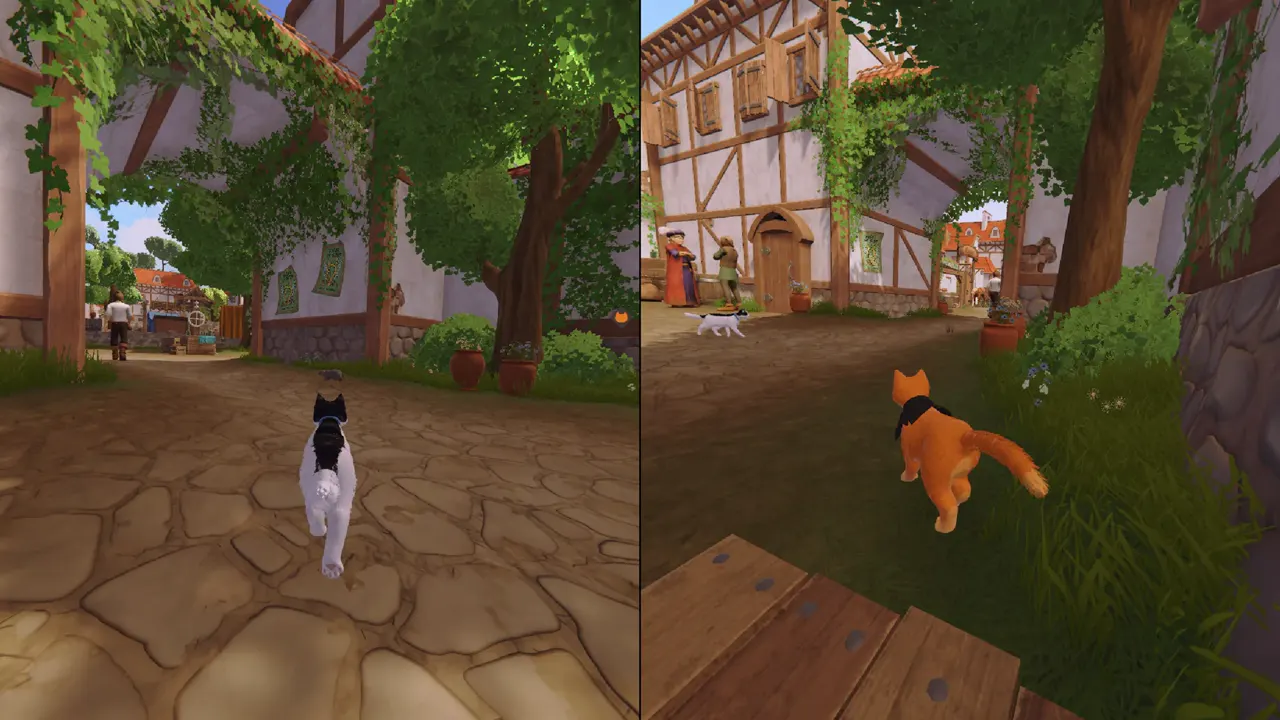
Yes. Local split-screen co-op is a confirmed feature. Official screenshots show the screen divided vertically so each player can move and look independently while staying in the same shared adventure.
- Local co-op
- Confirmed
- Presentation
- Two simultaneous views
- Players
- Two
- Controller details
- Final guidance pending
Can you disable split-screen or remove the divider?
No option to disable split-screen, remove the divider, or switch to a shared camera has been announced in the public sources reviewed. That is an unknown setting, not proof that the final game will never offer it.
How the split view is used
The released screenshots use a vertical split for village exploration and traversal. One cat can be on a tree branch while the other moves a barrel below, which makes independent cameras useful instead of forcing both players into a single shared frame.
The same format lets each player read their own interaction prompts and observe a different side of a co-op puzzle. The developer has not yet published display options, divider settings, field-of-view controls, or performance targets.
Couch setup checklist
- Use a display large enough for two equal views and sit close enough to read prompts.
- Prepare two compatible input devices; exact keyboard-and-controller combinations are not documented yet.
- Set audio so both players can hear cues from either side of the scene.
- If you are sensitive to camera motion, wait for the final accessibility and camera settings list before buying.
Split-screen versus Remote Play Together
| Mode | Where players are | How the game runs |
|---|---|---|
| Local split-screen | In the same room | One system renders both views |
| Steam Remote Play Together | Can be in different locations | The host streams the same local-style session |
Common questions
Quick answers
Can we play on one TV?
Yes. The official site confirms local split-screen on one screen.
Is the split horizontal or vertical?
Current official screenshots show a vertical split; final display options are not listed.
Can we remove the divider?
No option to disable split-screen, remove the divider, or switch to a shared camera has been announced in the public sources reviewed. That is an unknown setting, not proof that the final game will never offer it.
Sources
Primary pages used for the facts above. Links open the publisher's page.
Keep planning your co-op run
The Missing Tail is designed for two players, with local split-screen announced. Steam separately lists Online Co-op and Remote Play Together. The official website says online co-op for PC and consoles is in development. Its one-copy FAQ does not establish a currently usable remote console guest route.
Read guide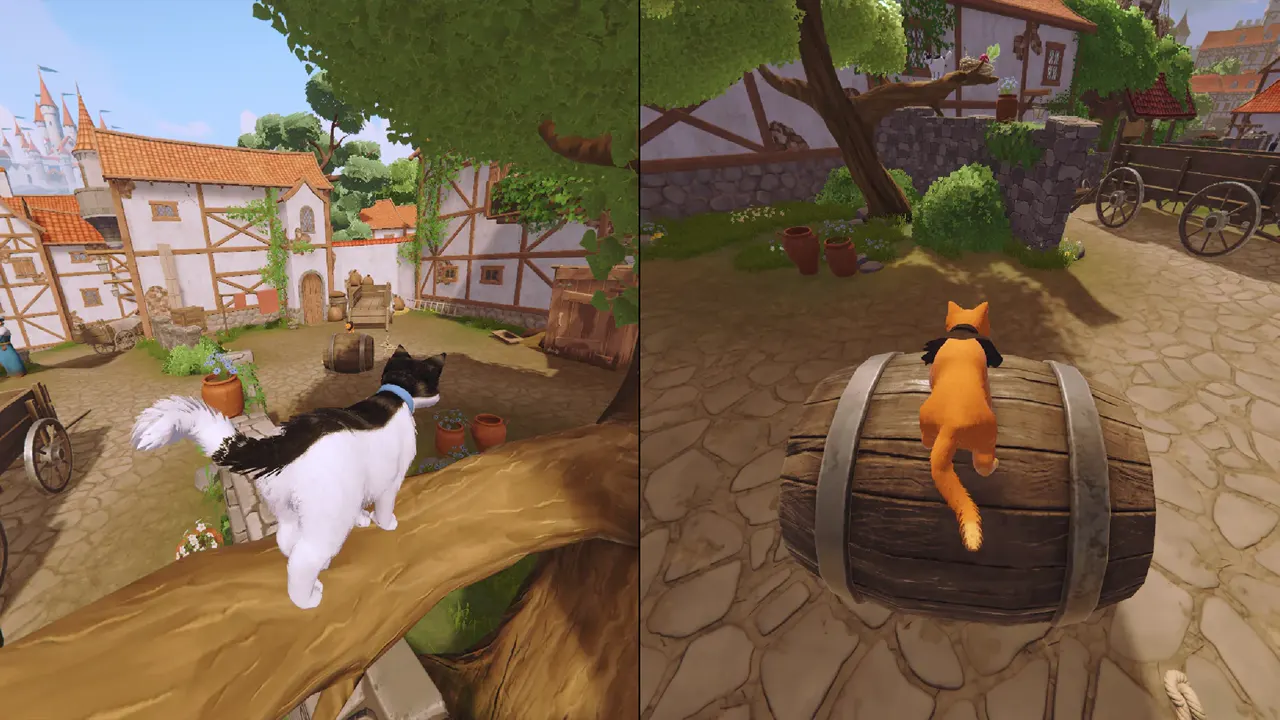
The official FAQ says one copy is enough on Steam, PlayStation, and Xbox, alongside its local split-screen explanation. Steam also lists Remote Play Together. This does not confirm a Friend's Pass, cross-play, or remote guest access on consoles.
Read guide
Steam lists Online Co-op and Remote Play Together as separate features. Remote Play Together is a listed streaming option, not proof that it is the only online method. The official website now describes online co-op for PC and consoles as in development; it does not publish the final invitation flow.
Read guide